SyngHub Smart Step Form
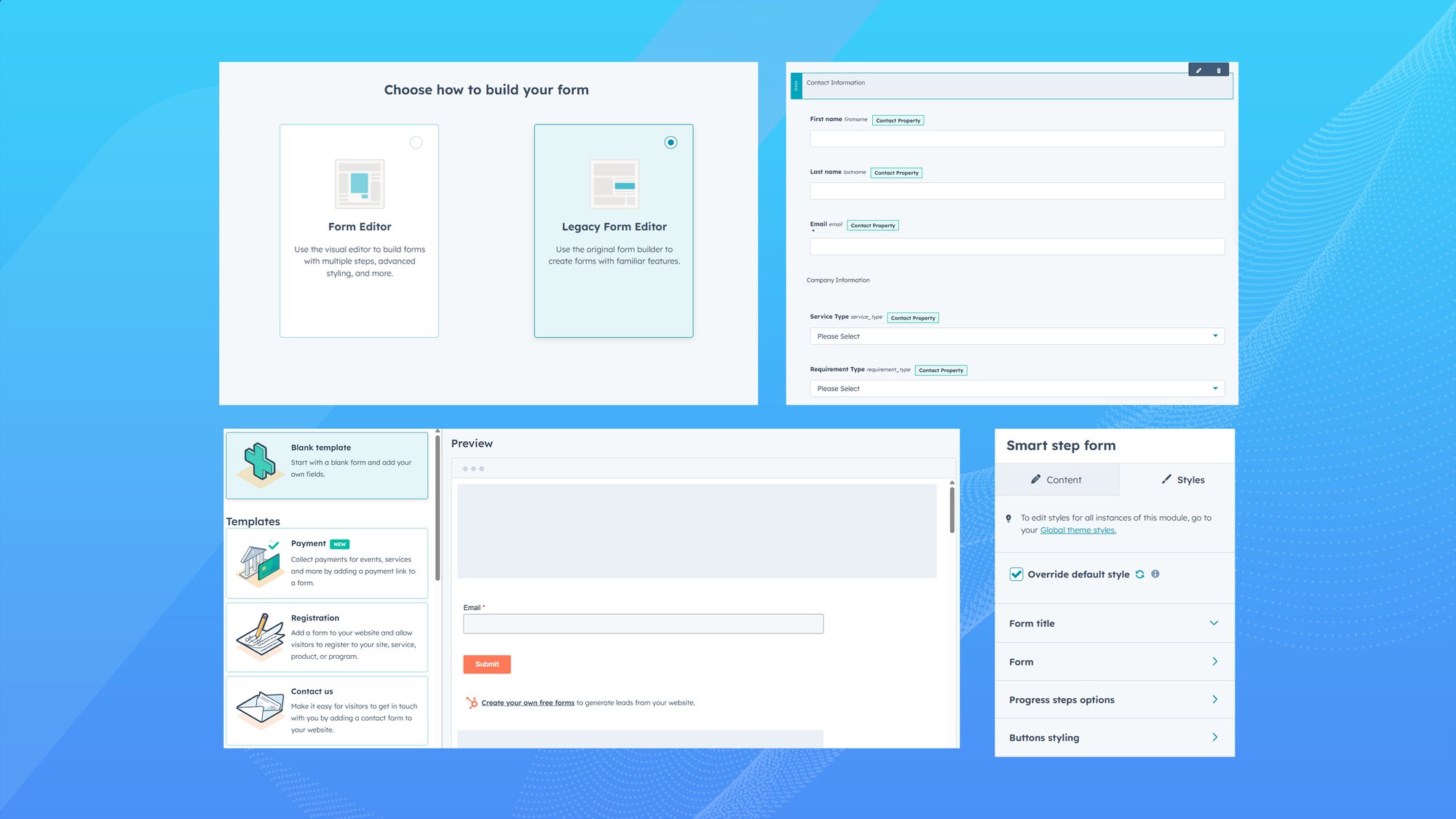
The Smart Step Form Module is a flexible and user-friendly HubSpot CMS solution designed to improve lead conversion by transforming long or complex forms into guided, step-by-step experiences. The module empowers marketers and developers to configure layouts, styles, steps, and behaviors directly from the HubSpot editor without custom coding while ensuring seamless CRM data capture.


Overview
Our HubSpot Smart Step Form Module is designed to transform standard HubSpot forms into high-converting, user-friendly experiences. Unlike basic forms, it intelligently breaks long forms into guided steps with built-in navigation, progress indicators, and validation. With full control over layout, styling, and behavior, businesses can create forms that look professional, feel effortless to complete, and perform consistently across all devices. It’s a powerful solution for capturing accurate leads while improving user engagement.
Convert Normal Form to Multi-Step
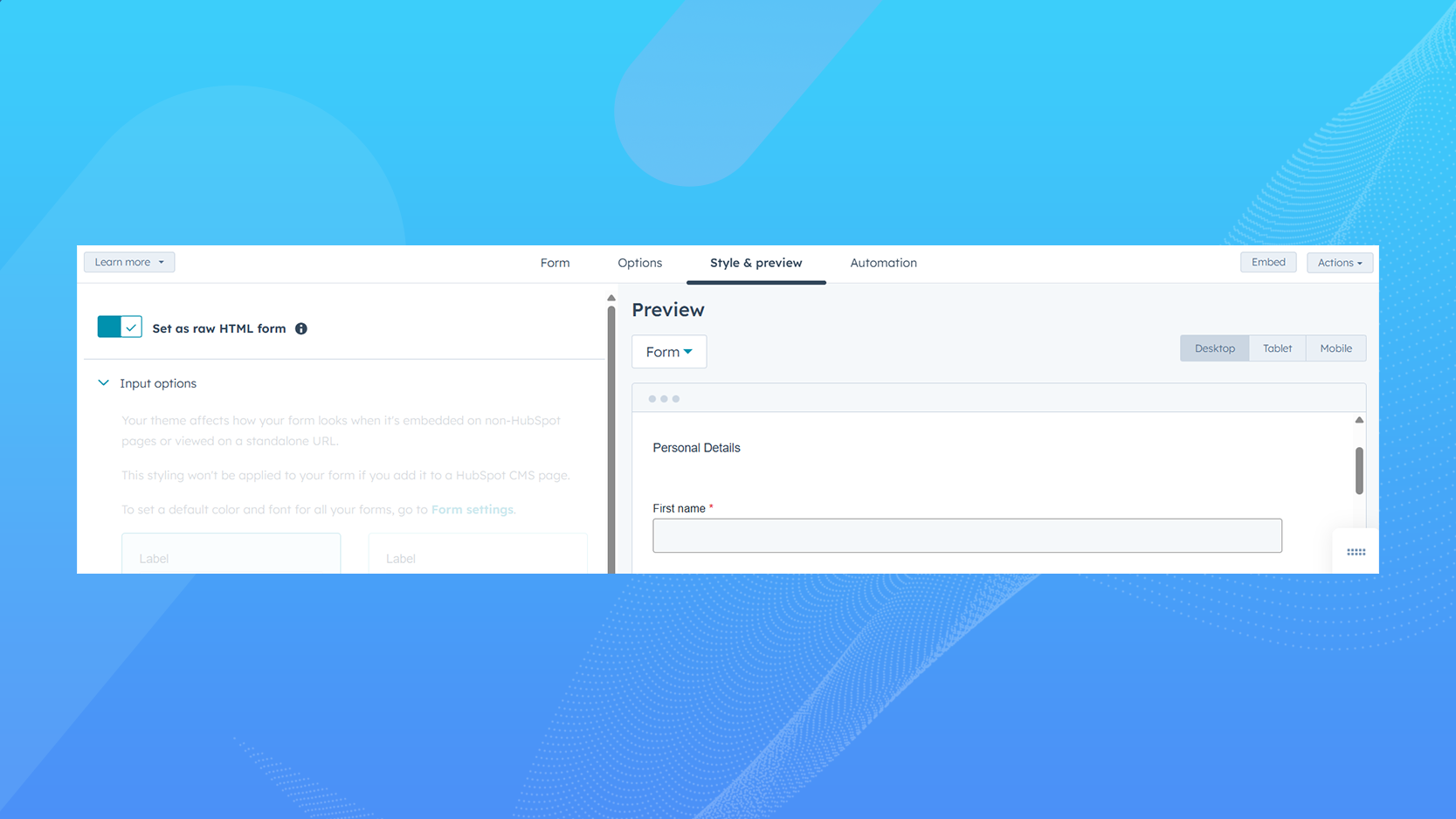
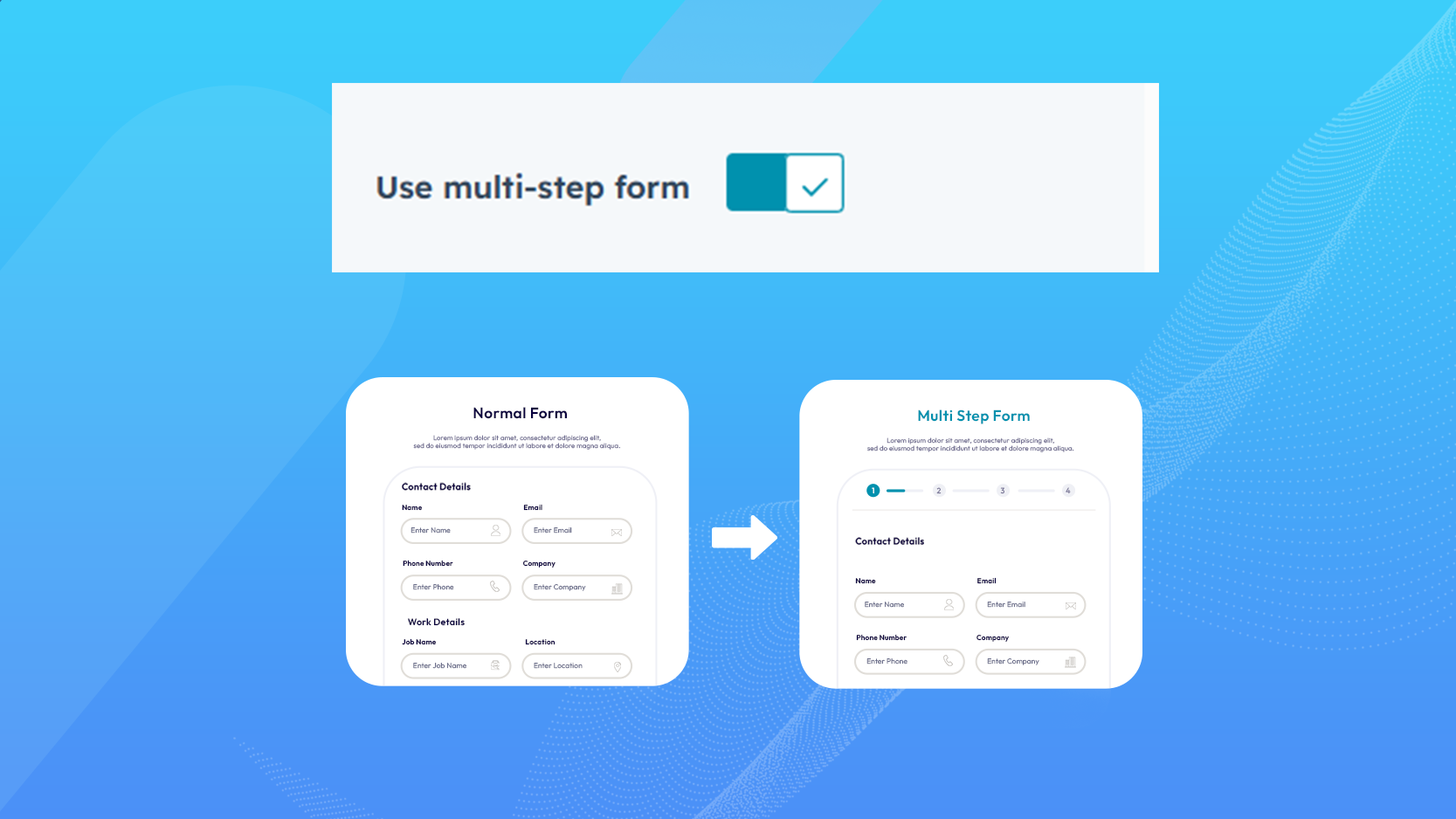
Quickly transform any existing HubSpot form into a multi-step format without changing the original structure. This helps make longer forms easier to complete by splitting them into logical sections. Users can focus on one step at a time, reducing overwhelm and increasing submission rates. It’s an efficient way to improve form performance with minimal effort.
Multi-Step Navigation (Next / Previous)
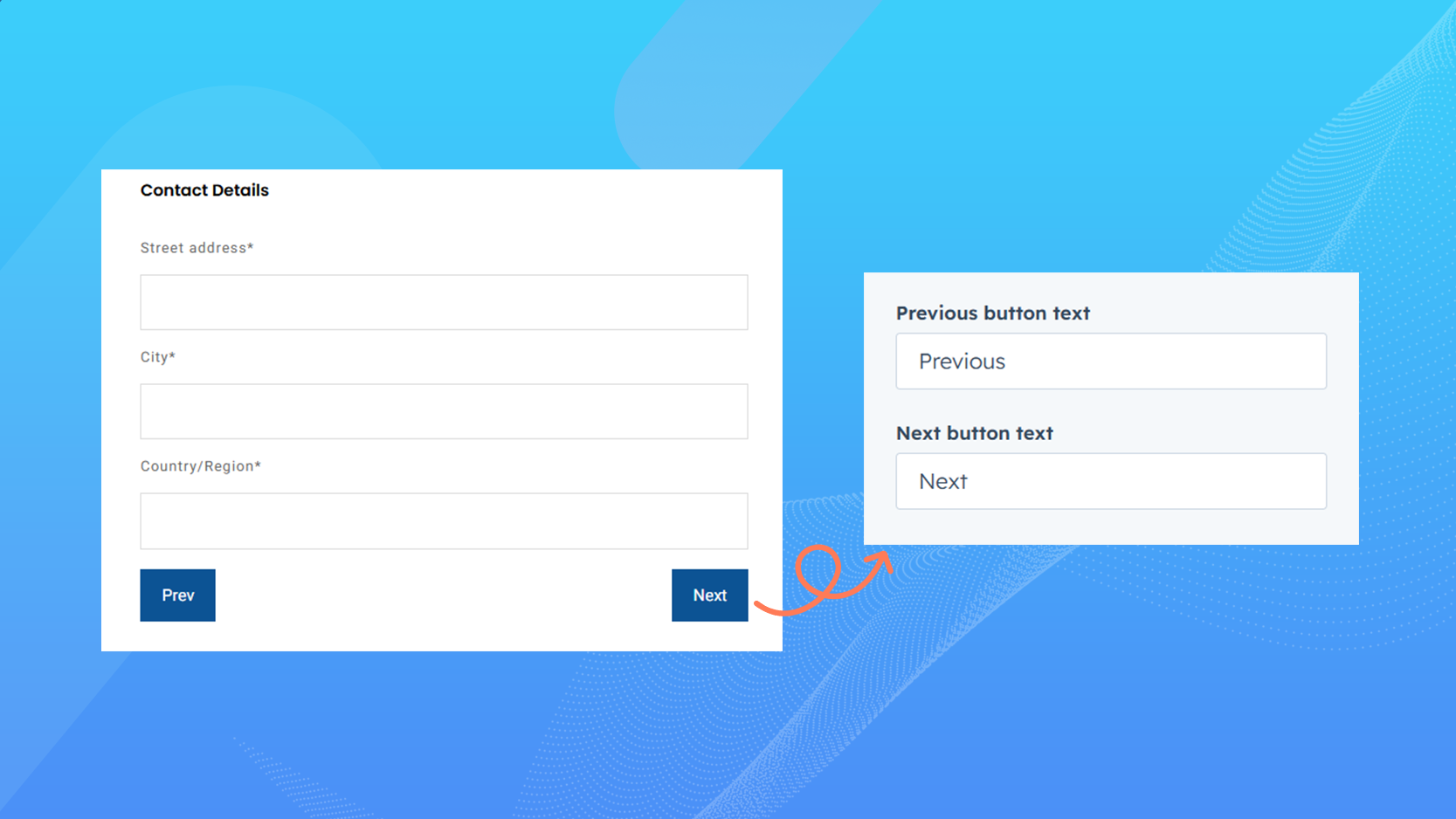
Clear Next and Previous buttons guide users smoothly through each step of the form. Users can move forward confidently or go back to review and edit their information when needed. This intuitive navigation improves usability and builds trust during form completion. It creates a seamless and user-friendly experience from start to finish.
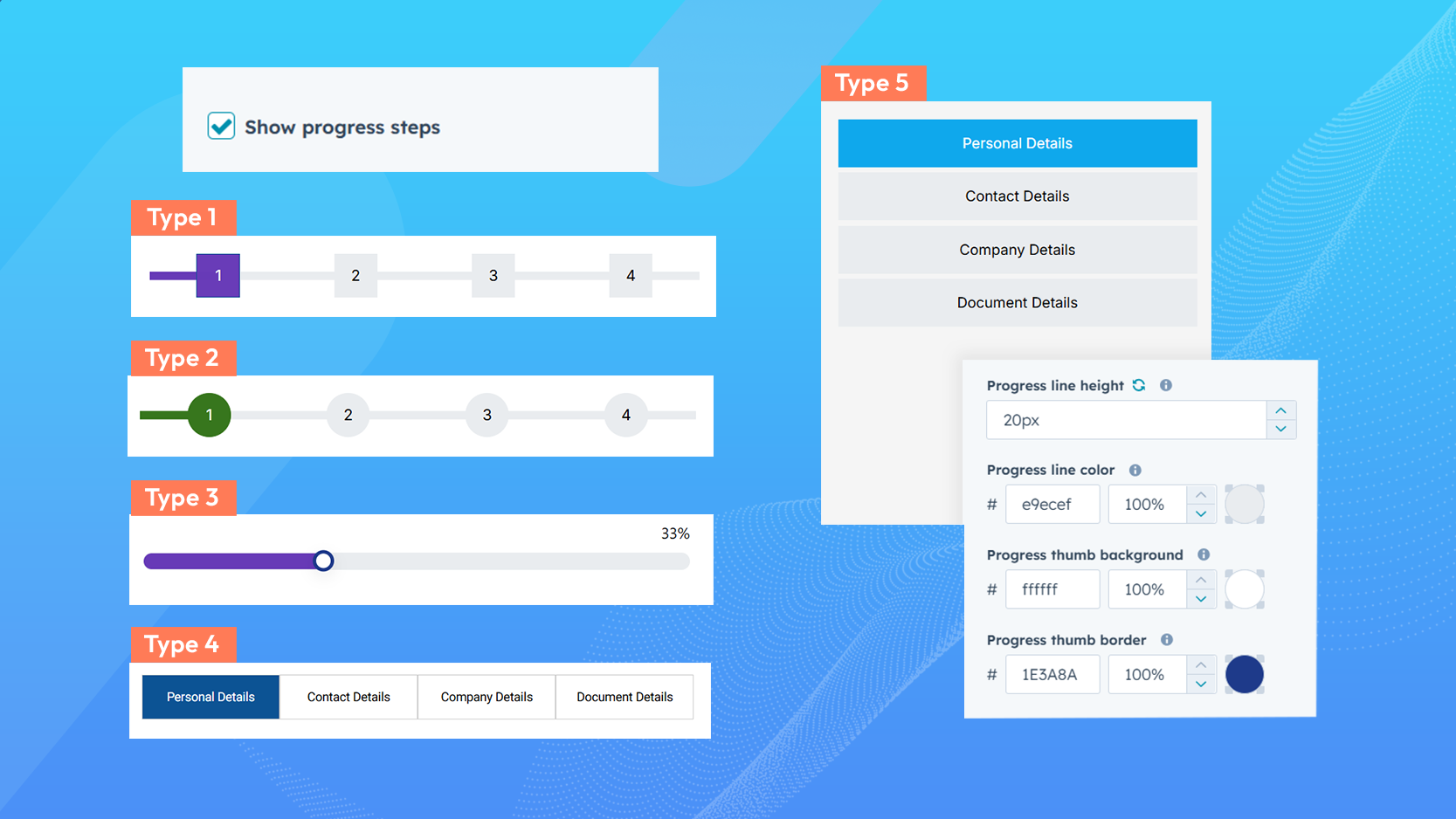
Step-Wise Progress Indicator
The progress indicator shows users how many steps are involved and how far they’ve progressed. This visual guidance helps set expectations and encourages users to complete the form. By clearly showing progress, it reduces drop-offs and improves overall engagement. Users always feel informed and in control.
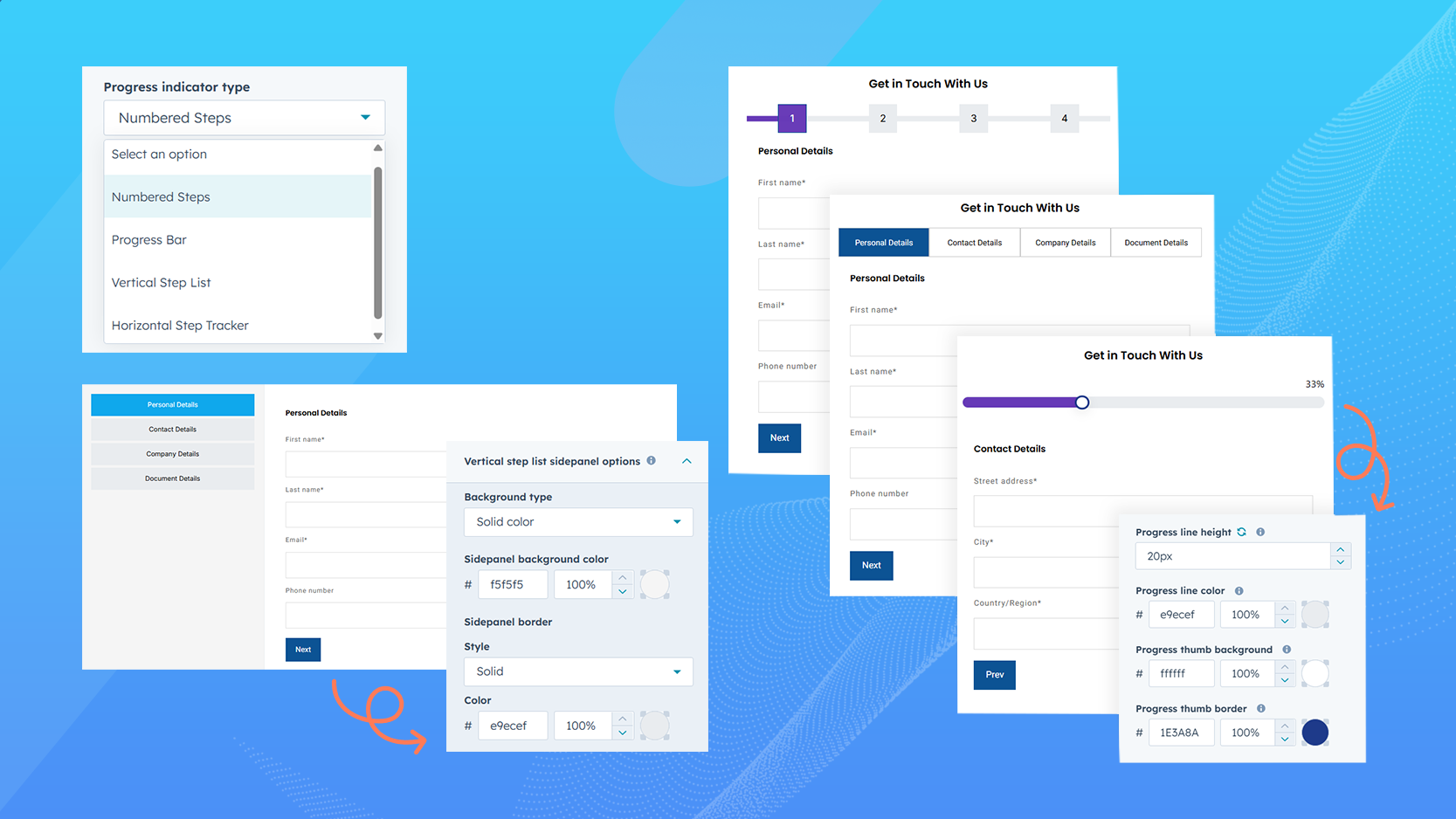
Layout Variations
Choose from multiple layout styles to match your website design and branding. Layout variations allow you to adjust alignment, spacing, and structure for a clean, professional look. Whether used on landing pages or contact pages, the form blends seamlessly with your site. This ensures a consistent and polished appearance across all pages.
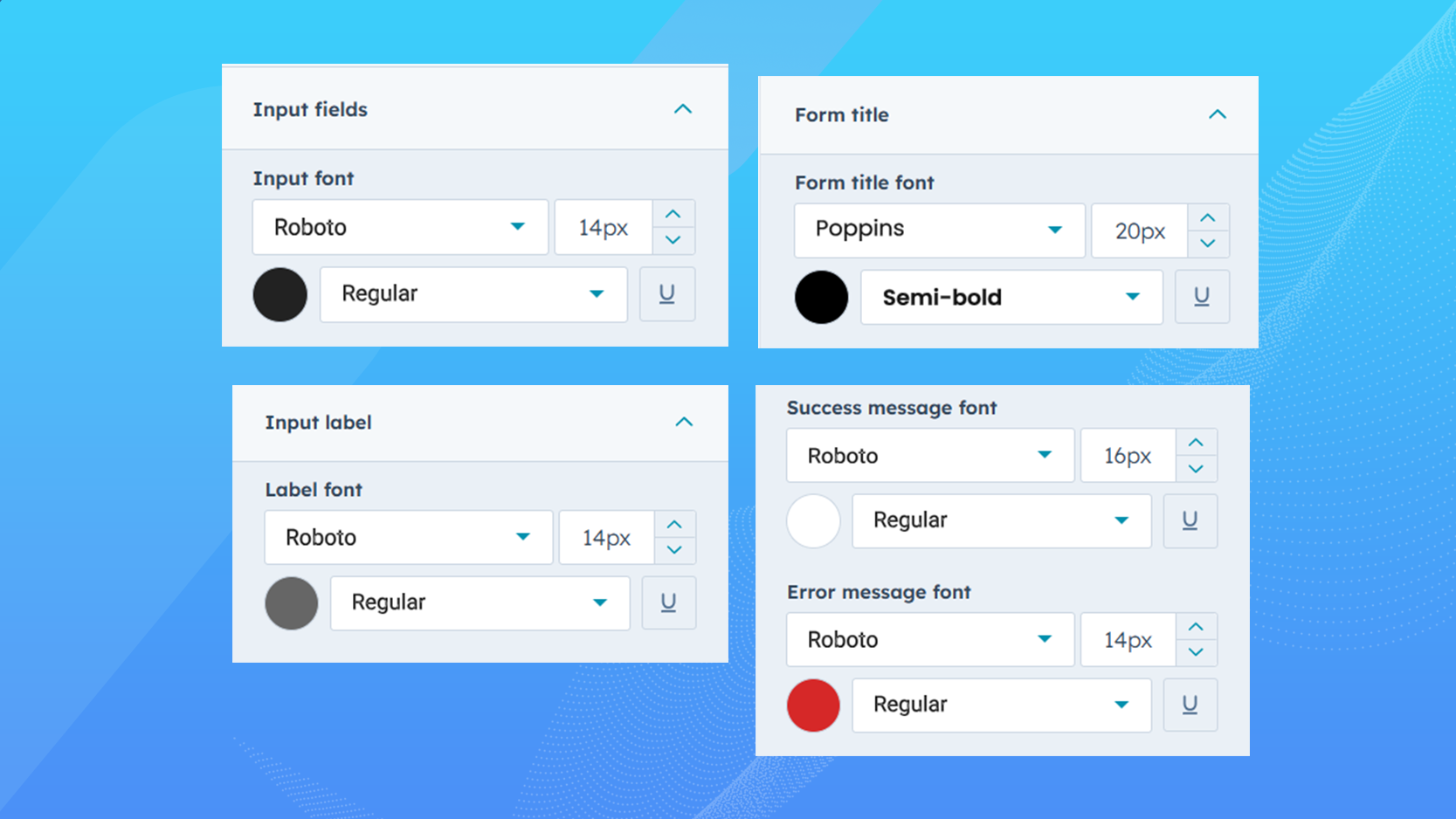
Typography Customization
Control font styles, sizes, and weights to match your website’s typography. This ensures labels, headings, and helper text remain clear and easy to read. Consistent typography improves user confidence and brand recognition. All changes can be made without technical complexity.
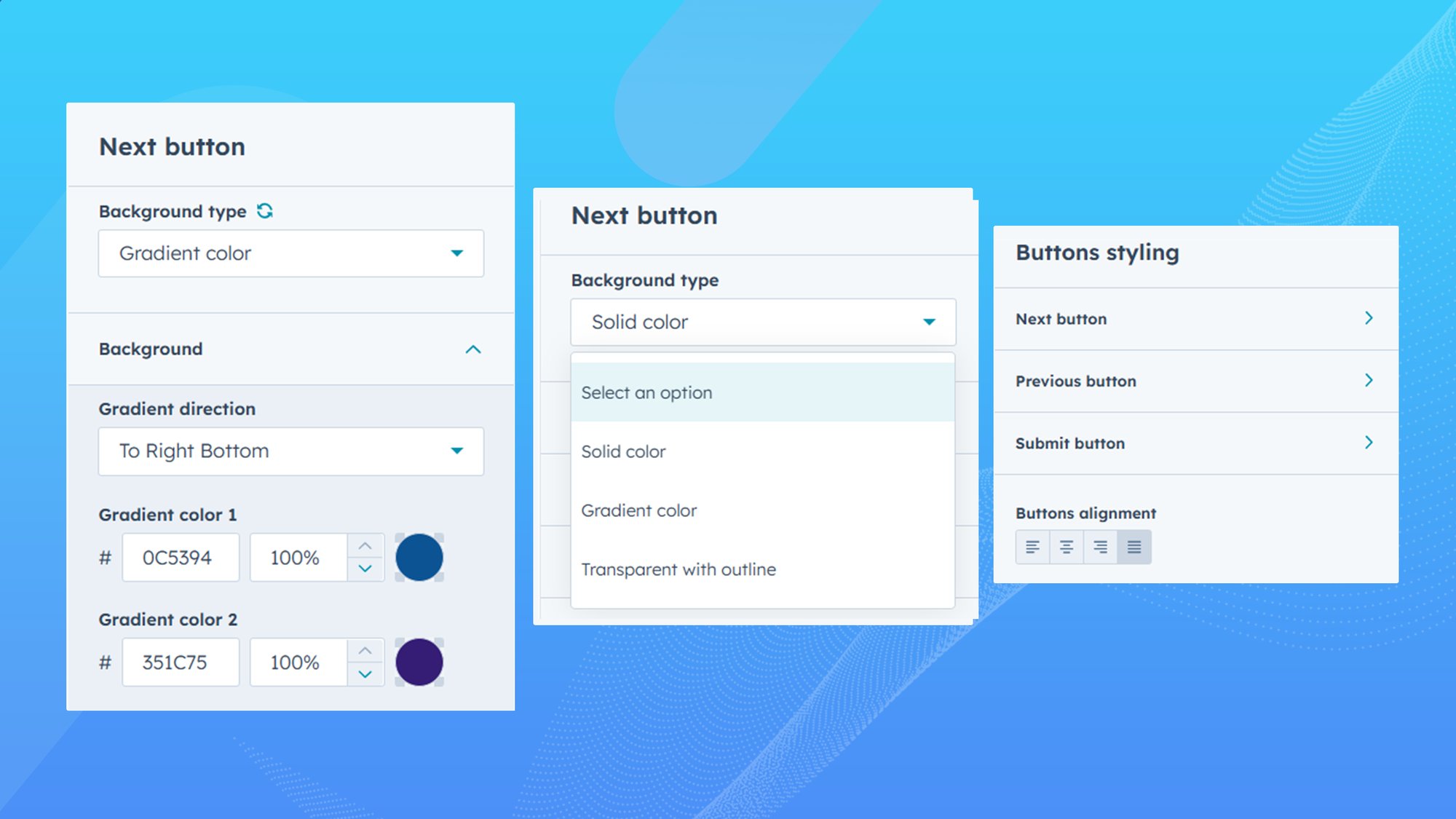
Button Customization
Customize Next, Previous, and Submit buttons to reflect your brand style. Adjust colors, text labels, sizes, and alignment to improve visibility and clicks. Well-designed buttons guide users naturally through the form. This feature helps increase interaction and form completion rates.
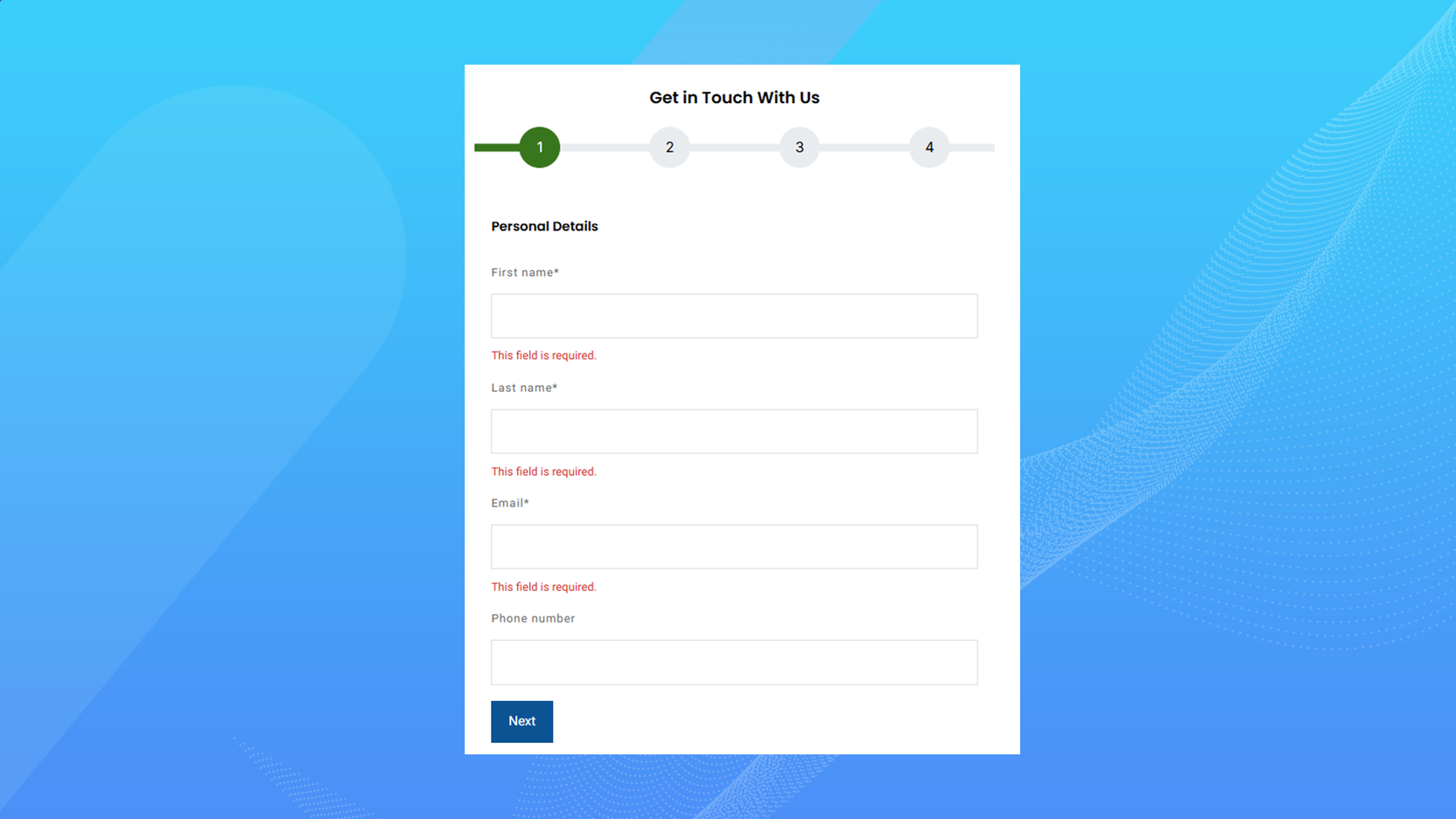
Validation Before Next Step
This feature ensures users complete required fields before moving to the next step. Instant validation reduces errors and improves the quality of submitted data. Users receive clear feedback if information is missing or incorrect. It creates a smoother and more reliable submission process.
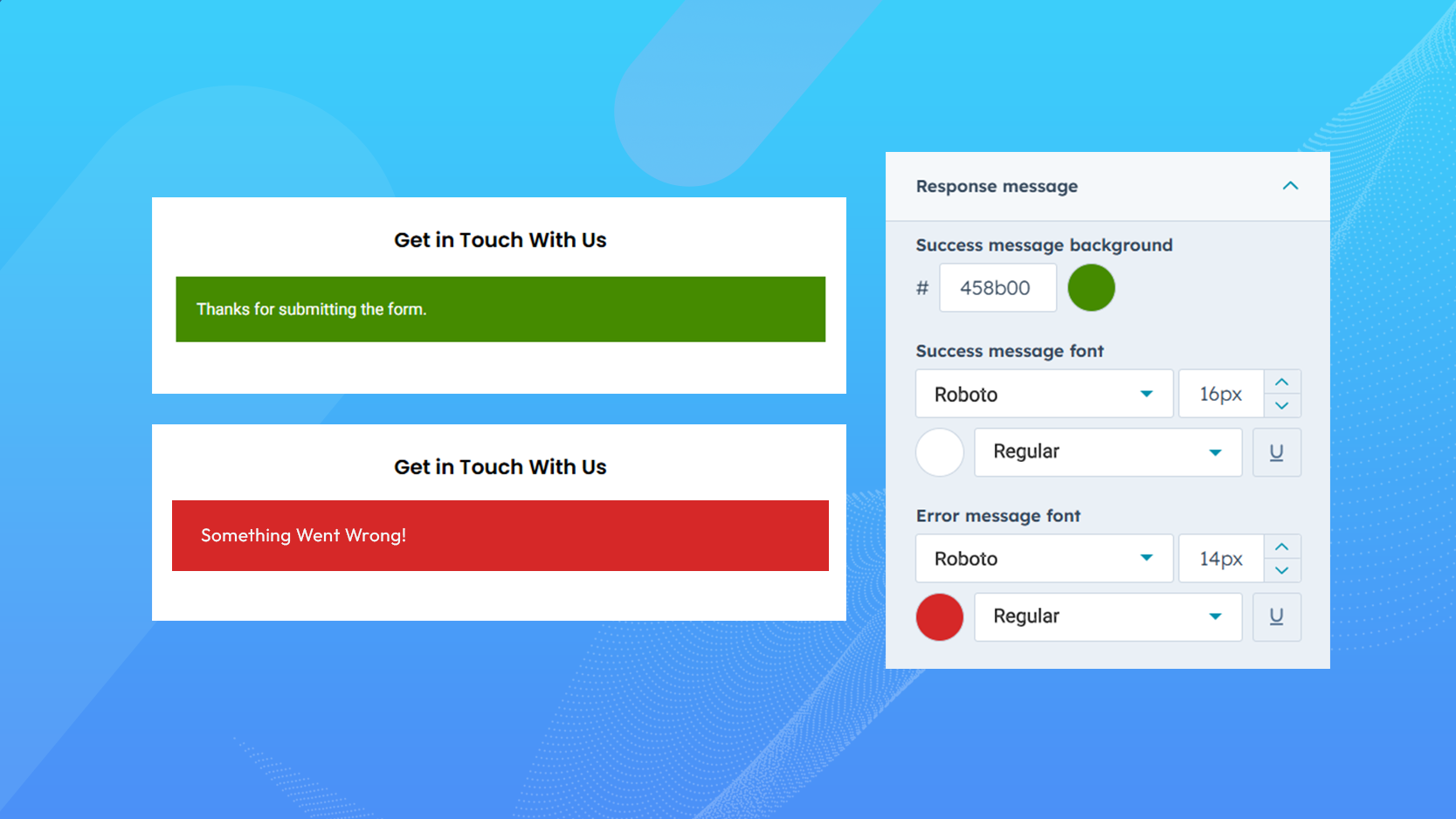
Thank-You Message Customization
Display a customized thank-you message after form submission to confirm success. You can include next steps, helpful links, or follow-up information. This keeps users engaged even after submission. A well-designed message improves overall user experience.
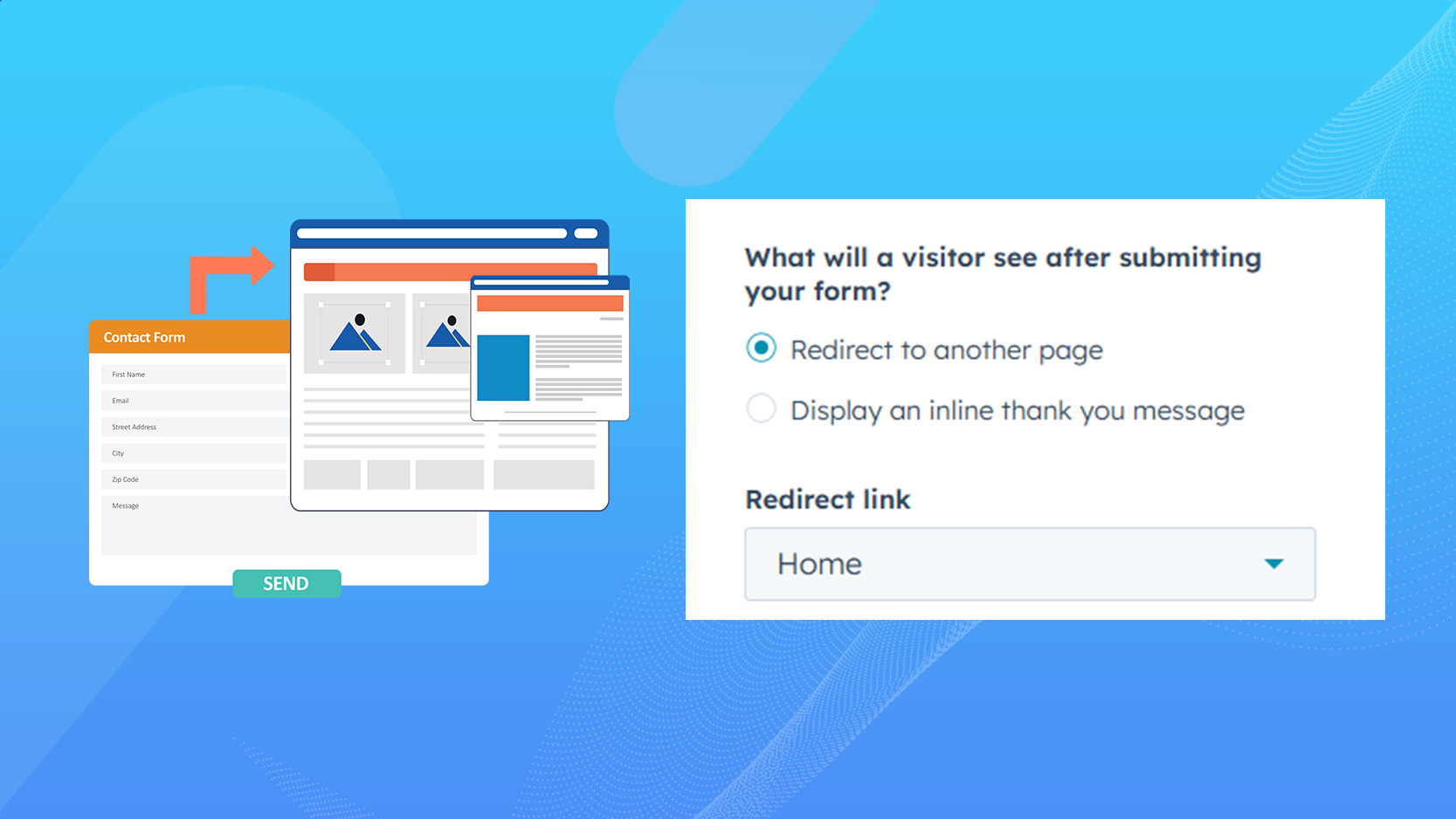
Redirect After Submission
Automatically redirect users to a specific page after they submit the form. This is ideal for thank-you pages, downloads, or campaign tracking. Redirects help guide users to the next action smoothly. It also supports better conversion tracking and user flow.
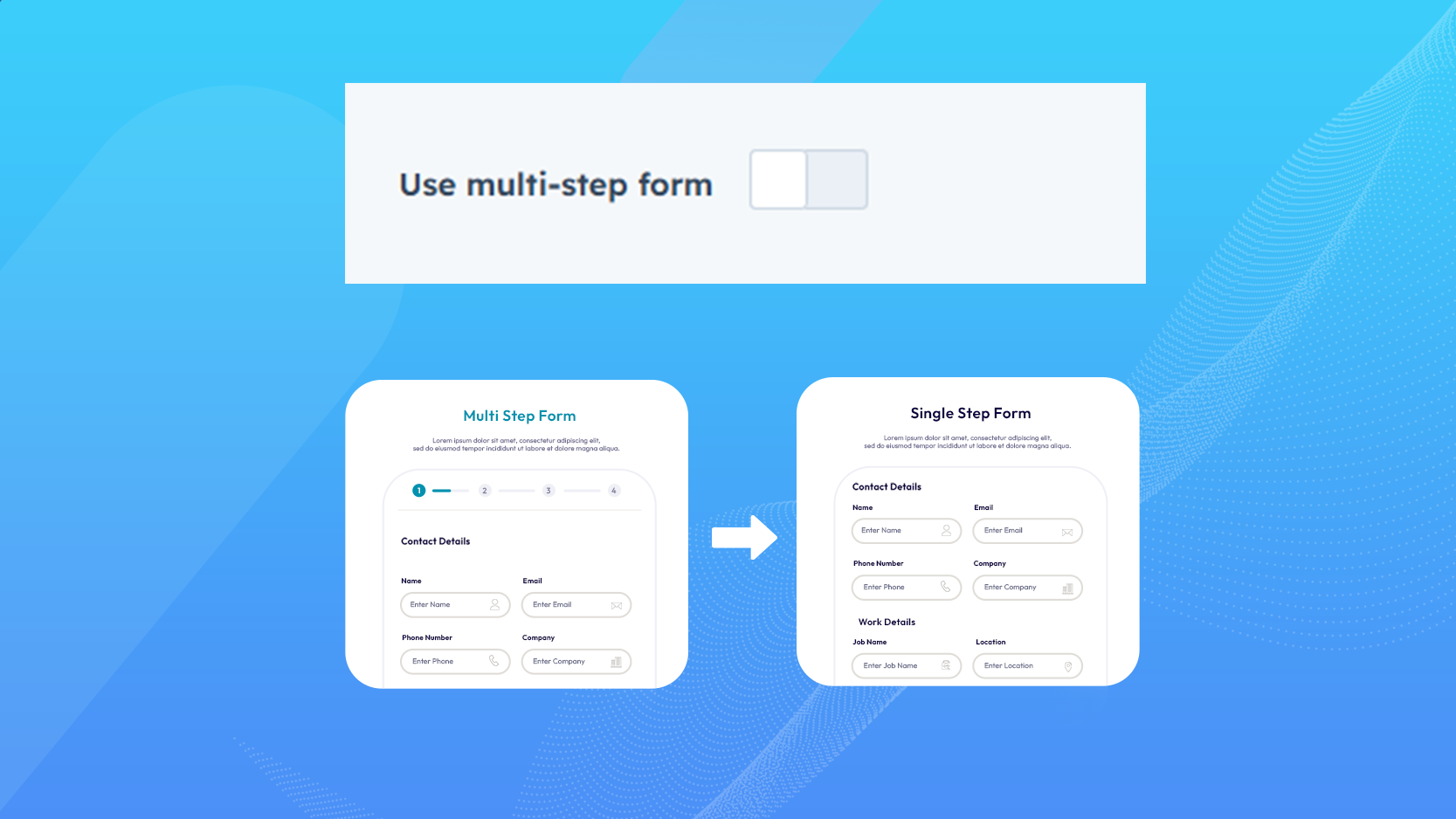
Single-Step Form Support
This feature allows your form to function as a standard single-step HubSpot form when multi-step navigation is not required. All form fields are displayed at once, making it suitable for short and straightforward forms. You can easily switch between single-step and multi-step modes without rebuilding the form. This flexibility ensures your forms adapt perfectly to different business needs.

Expert Assistance
Get direct support from our experienced support team

Online User Guide
Easy-to-follow documentation for smooth implementation
Get the SyngHub Smart Step Form Module
Partner with Syngrid’s HubSpot experts to unlock the full potential of your CRM, marketing, sales, and service automation. Whether you’re just starting or scaling your operations, we’ll help you drive growth, streamline processes, and maximise ROI.


Let's Discuss Your Ideas!
Singapore
Punggol Digital District, 82 Punggol Way,
#07-25 Singapore – 829910
Call: +65 8206 7456
Landline: +65 6508 5166
( Sales Office )